

System Settings Menu
This section describes the functions provided in the System Settings.
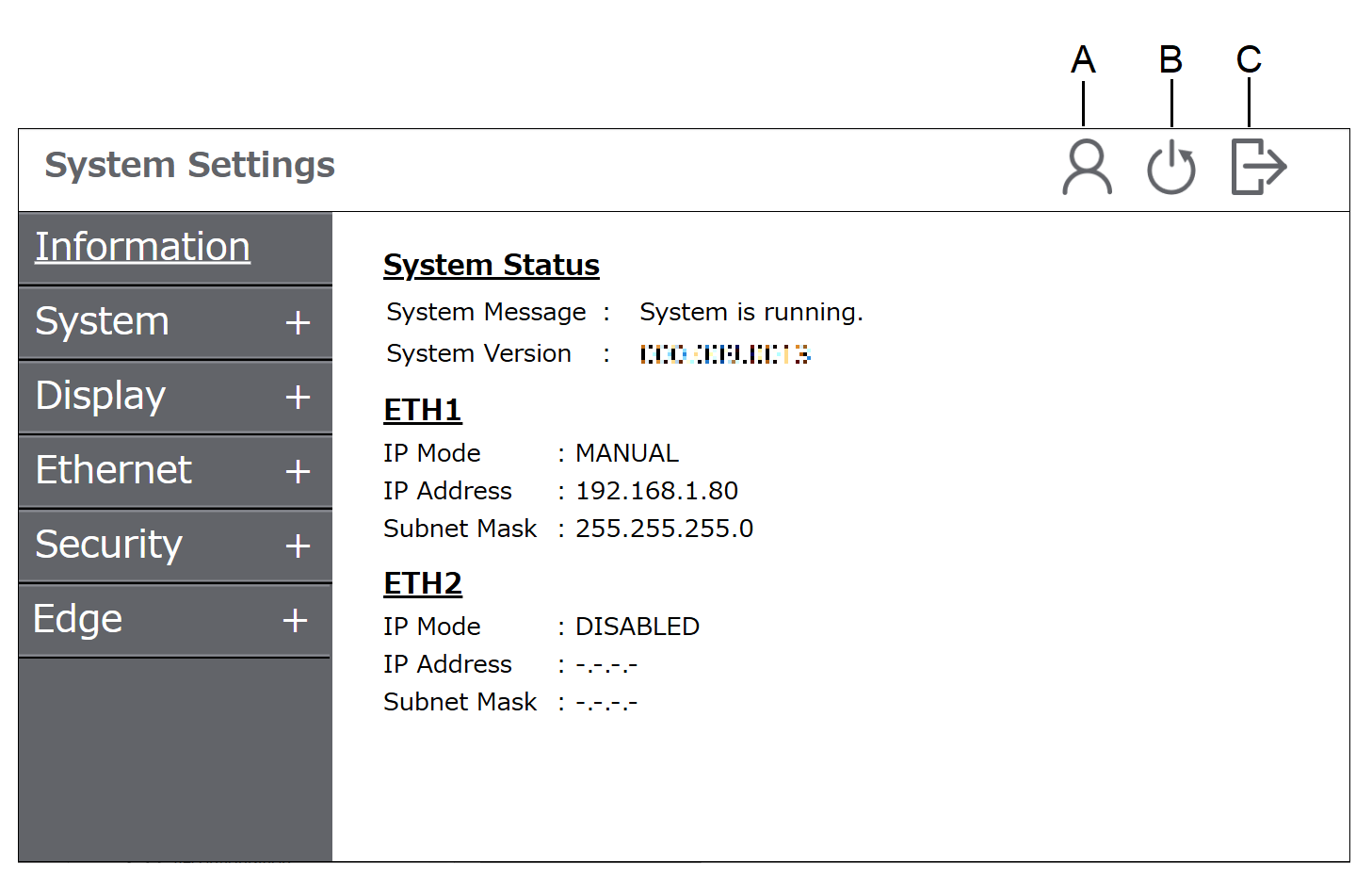
|
Function |
Description |
|
|---|---|---|
|
A |
Switching accounts |
Switch user accounts. This function is displayed if you have a standard user account in addition to the administrator account. |
|
B |
Reboot |
Reboot the product. |
|
C |
Logout |
Log out of the system settings and return to the previous screen. |
|
Menu |
Description |
|
|---|---|---|
| Information | - |
Displays the system status, version information, etc. |
| System | System Monitor |
Displays the number of times this product has been started, the total operating time, the temperature inside the product, etc. This also exports the system settings operation log. |
| Date and Time |
Set the product's internal clock. |
|
| Language |
Select the user interface language for the system settings. |
|
| Factory Reset*1 |
Resets the product to the state it was in when it was purchased. |
|
| Backup Restore*1 |
Back up the data in the product to a USB storage device and use the backup file to restore the product. |
|
| Display | Display1 |
Configure display settings such as brightness and touch areas. |
| Ethernet*1 | ETH1/ETH2 |
Configure the Ethernet settings. |
| Security*2 | Password |
Change the login password. |
| User Account*1 |
Register or delete standard user accounts separate from the account with administrator privileges. |
|
| Firewall*1 |
Configure settings related to the firewall. |
|
| Edge | General |
Enable or disable the Edge Connector. |
*1 Displays only if you are logged in with an administrator account.
*2 If password authentication is not used, this setting is not displayed.